
Shortcodes go back to the early days of WordPress. Editing content has become more WYSIWYG ‘what you see is what you get’ over time. The introduction of blocks and their attributes (those settings down the right hand of the screen) have made Shortcodes relatively niche, at least in the SiteWorks context.
How a Page (or Post) is constructed
A SiteWorks site is composed of Posts with a Page being regarded as a specific type of Post. Inside these, content is built up using blocks – Paragraphs, Columns, Buttons, various Image blocks etc. To help content editors find or select what they need, blocks are categorised. Precisely how is a blend of WordPress and the active Theme i.e. the SiteWorks Theme.
You see blocks grouped by category when editing a page and pressing the highlighted + to the left of the ‘hamburger’ menu. Examples of categories are TEXT. MEDIA, DESIGN
TEXT. MEDIA and DESIGN blocks deliver static content or manage formatting such as the Columns block. What they display will be predictable, although influenced by the width of the screen. Some blocks deliver dynamic content, but these will be part of the THEME or come with 3rd party plugins. These can range from the Gutenstider (a plugin) that just rotates through a list of pre-uploaded images, to those that filter content such as u3a Events (part of SiteWorks) that does not display historic events by default. There are also those that display dynamic values such as today’s date or the number of words on the page.
There is a category called WIDGETS that relates more to WordPress history than function – they were present in the early versions way before blocks were introduced, although to all intents and purposes can be considered a type of block. One Widget type is a Shortcode.
Shortcodes
Shortcodes are entered as text inside square brackets [ ]. With SiteWorks shortcodes like [u3a_contact name=”Chair”] should be familiar. It invokes the u3a Contact form with the parameter called ‘name’ identifying the contact to be looked up in u3a Contacts.
With SiteWorks, shortcodes are needed to place the contact form; invoke the contact form; and to link to the website Terms of Use (usually in the footer pattern).
The u3a events list and u3a group list (under WIDGETS) have shortcode equivalents.
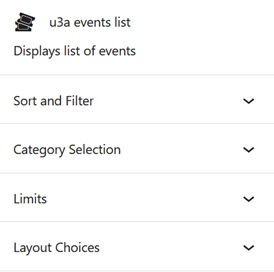
Before May 2026 full functionality was only available for u3a events and group list when using their shortcode. Now all the parameters available for the shortcodes can be set in the settings panel as shown on the right.
Many WordPress blocks have shortcode equivalents. For example, the Gallery block (under MEDIA) can be invoked with a shortcode like
[gallery ids="12,34,56" columns="3" size="medium"]Of course it’s far easier, quicker and less cryptic to use the visual editing features of the Gallery block.
Many 3rd party plugins are driven by shortcodes. Common example adopted by u3as are Contact Form 7 and ICS iCalendar.