
Bulk delete u3a Events
SiteWorks can now generate a series of u3a Events based on an existing u3a Event.
On the Dashboard select u3a Events > All Events and hover over the event you want to repeat.
Click on Repeat Event and a form to create repeating future event appears.
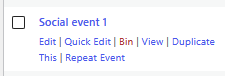
Of course this powerful feature can quickly create a lot of events that soon become historic and need to be removed. An individual event can be Binned, but you can also bulk delete up to 20 events.
Assuming you want to remove the oldest events then:
List the events u3a Events > All Events and use the filer if you want to show events of a category and/or interest Group.
- 1. Sort by date oldest to newest
- 2. Tick the box so select all the events listed (untick ones at the bottom to not bin them all)
- 3. Bring up the Bulk actions drop-down
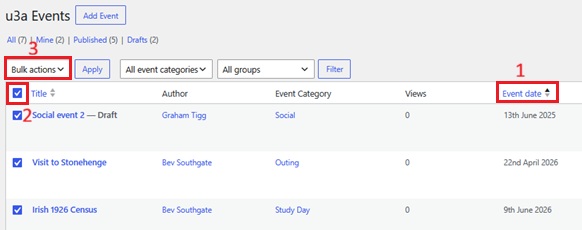
- 4. Select ‘Move to Bin’
- 5. Click on ‘Apply’
You are given a few seconds to Undo and recover the Binned events – watch out for the green ribbon at the top.