
Category: How Tos Editing
-
Contact form launch from a button
The Button Block does not support shortcodes e.g. to a Contact form. One way to achieve this by simulating a button is described. Read more
-
Tabs block – an alternative to page navigation?

Tabs are an alternative way to navigate the content of larger pages by reducing the amount of scrolling necessary. Read more
-
Links that navigate within a page
Links can be setup to link within a page, usually for longer pages that demand a fair bit of scrolling. Internal page links can navigate directly to sections, typically the headings. Read more
-
Remove link from submenu heading
WordPress 7 broke submenus that did nothing when clicked on, they just showed a menu when hovered over. Here’s how to fix it. Read more
-
Embedding – Videos, Calendars, PDFs
Embedding Videos, Google Calendar and PDFs Embedding is a mechanism to show external content on a website without the reader’s browser leaving your site or being sent to a new browser tab/window. Below are slides used in a Drop-in session on embedding. There is more on YouTube embedding in this article (opens in a new… Read more
-
u3a Contact form – how it works
Contact forms are a mechanism for a visitor to send an email while not revealing the email address of the recipient. They also have fields to capture specific information. Read more
-
About Shortcodes and Blocks
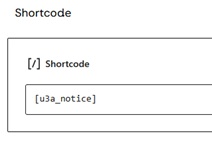
Shortcodes go back to the early days of WordPress. Editing content has become more WYSIWYG ‘what you see is what you get’ over time. The introduction of blocks and their attributes (those settings down the right hand of the screen) have made Shortcodes relatively niche, at least in the SiteWorks context. How a Page (or… Read more
-
Display a calendar of u3a Events
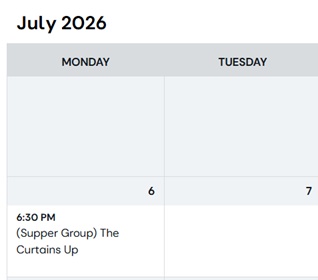
Describes how to use the SiteWorks iCalendar feed to display a calendar on your site using a 3rd party plugin. Read more
-
Bulk delete u3a Events

Bulk delete u3a Events SiteWorks can now generate a series of u3a Events based on an existing u3a Event. On the Dashboard select u3a Events > All Events and hover over the event you want to repeat.Click on Repeat Event and a form to create repeating future event appears. Of course this powerful feature can… Read more
-
Groups etc. information form disappears
Group, Event etc. information form disappears When creating or editing any of the u3a posts (Groups, Events, Venues, Contacts, Notices) there is an information form at the bottom to enter and edit the content. This form can seem to disappear of move between columns. This article shows how to control it. The information form is… Read more