
SiteWorks and WordPress ‘how-tos’
These more advanced SiteWorks and WordPress articles are generally aimed at Administrators and site Editors. Some discuss approaches to a topic and should be treated sources of ideas.
Contents
Editing and Media
These articles give insight and suggestions relating to various WordPress editing features.
-
Contact form launch from a button
The Button Block does not support shortcodes e.g. to a Contact form. One way to achieve this by simulating a button is described.
-

Tabs block – an alternative to page navigation?
Tabs are an alternative way to navigate the content of larger pages by reducing the amount of scrolling necessary.
-
Links that navigate within a page
Links can be setup to link within a page, usually for longer pages that demand a fair bit of scrolling. Internal page links can navigate directly to sections, typically the…
-
Remove link from submenu heading
WordPress 7 broke submenus that did nothing when clicked on, they just showed a menu when hovered over. Here’s how to fix it.
-
Embedding – Videos, Calendars, PDFs
Embedding Videos, Google Calendar and PDFs Embedding is a mechanism to show external content on a website without the reader’s browser leaving your site or being sent to a new…
-

u3a Contact form – how it works
Contact forms are a mechanism for a visitor to send an email while not revealing the email address of the recipient. They also have fields to capture specific information.
-
About Shortcodes and Blocks
Shortcodes go back to the early days of WordPress. Editing content has become more WYSIWYG ‘what you see is what you get’ over time. The introduction of blocks and their…
-
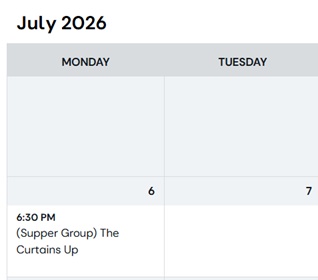
Display a calendar of u3a Events
Describes how to use the SiteWorks iCalendar feed to display a calendar on your site using a 3rd party plugin.
-

Bulk delete u3a Events
Bulk delete u3a Events SiteWorks can now generate a series of u3a Events based on an existing u3a Event. On the Dashboard select u3a Events > All Events and hover…
-
Groups etc. information form disappears
Group, Event etc. information form disappears When creating or editing any of the u3a posts (Groups, Events, Venues, Contacts, Notices) there is an information form at the bottom to enter…
-

Show a YouTube (or other) video on your site
Show a YouTube (or other hoted) video on your site SiteWorks does not support uploading videos (ref. Web Manager > Operating Procedures) but it is easy to have a video…
-

Marquee Banner (rotating text)
Create a Marquee Banner (rotating text) A Marquee is text that rotates. “STOP PRESS: THEATRE OUTING: Life with SiteWorks. Anytown Civic Hall, Sunday 29th June, 7.30pm. Cost of ticket, maximum…
-
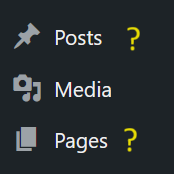
Page or Post?
Page or Post and how does SiteWorks fit in? The first point to make is with SiteWorks many u3as will have no need to create Posts. They will find the…
-
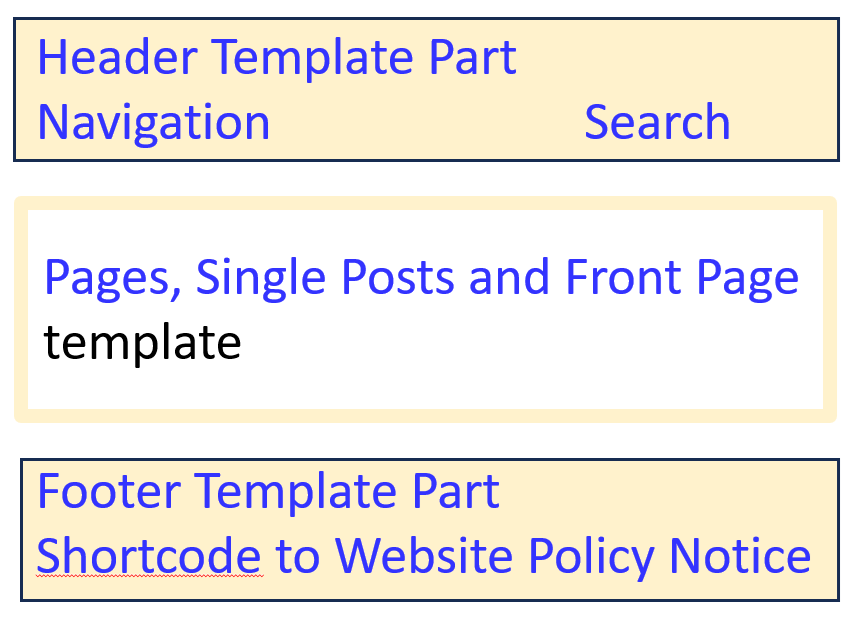
Templates, Headers and Footers
Templates, Headers and Footers Templates in WordPress provide a layout for pages and posts. Templates are part of the WordPress theme or come with plugins and referring to generic WordPress…
-
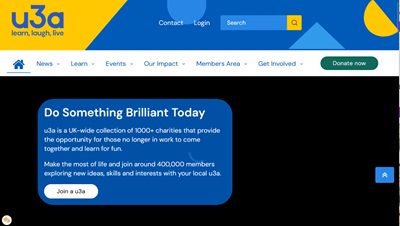
Website styles
There is a different website design styles out there, much of which stems from sites having various purposes. These are described and discussed.
-

Authoring tips (advanced)
Aimed at experienced Web Managers – suggested SiteWorks authoring best practice and tips. Includes points on u3a plugins and ways of working.
-
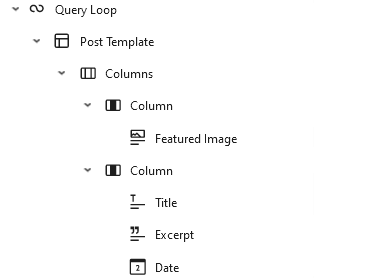
Query Loop and u3a plugins (advanced)
Advanced. The ‘Query Loop’ garners more questions than any other editing topic. When to use u3a features and when a Query Loop may be appropriate?
-
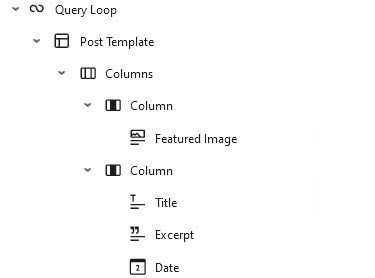
Query Loop additional attributes (advanced)
Advanced. Accessing through a Query Loop additional attributes of u3a features – groups, events, venues, contacts and notices.
Administration, forms
-

About slugs and URLs
What is a slug in WordPress? The term slug has nothing to do with the garden creature. The term apparently has its origins in the publishing and newspaper industry, long…
-
u3a Contact form – how it works
Contact forms are a mechanism for a visitor to send an email while not revealing the email address of the recipient. They also have fields to capture specific information.
-

Copy a SiteWorks site WPvivid (unsupported)
Advanced. Moving a SiteWorks WordPress site to another host (including Local WP) is not supported by the team. Nevertheless, these notes will assist anyone giving it a go.
-

Broken links to your live site
This topic should be useful to u3as moving their site to SiteWorks, but works equally well as a way to find out who is linking to your site. Some external…
-
Add a new user step-by-step
Advanced. Includes choosing usernames and passwords and how best to communicate credentials to the new Users.
-
Website styles
There is a different website design styles out there, much of which stems from sites having various purposes. These are described and discussed.
Local WP and copying your site
The SiteWorks Operational Procedures (linked from the Web Manager menu) mandate that 3rd party plugins must not be tried out on the Trust hosted SiteWorks sites. Use Local WP with a copy of your site to try them out first.
Instructions to install Local WP can be found on menu Web Manager > New Web Managers > Install Local WP and Demo site. Ways to copy your site are documented here.
-
Copy a SiteWorks site WPvivid (unsupported)
Advanced. Moving a SiteWorks WordPress site to another host (including Local WP) is not supported by the team. Nevertheless, these notes will assist anyone giving it a go.
-

Sharing Local WP
How others not in your home can share your Local WP site safely.
-
Local WP email testing
Explains how to find emails sent from your Local WP, for example sent from a form.
-
Old: copy a SiteWorks site All-in-one plugin (unsupported)
Advanced. We have more experience of WPVivid and our instructions for that will be more robust.