
WordPress 7.0 introduces Customisable Navigation Overlays, giving content providers full control over the design of the mobile navigation menus. Previously, when a visitor tapped the hamburger menu icon on a mobile device, WordPress displayed a fixed default overlay in which the design, layout, and content were locked. This restriction does not now apply.
Creating an Overlay #
To configure an overlay, from the Dashboard, select Appearance ⇒ Editor to edit the Design options. From the options, select Patterns ⇒ Header. Click the current Header image to open it for editing. Before editing, ensure that the List View is open in the right-hand side bar, and:
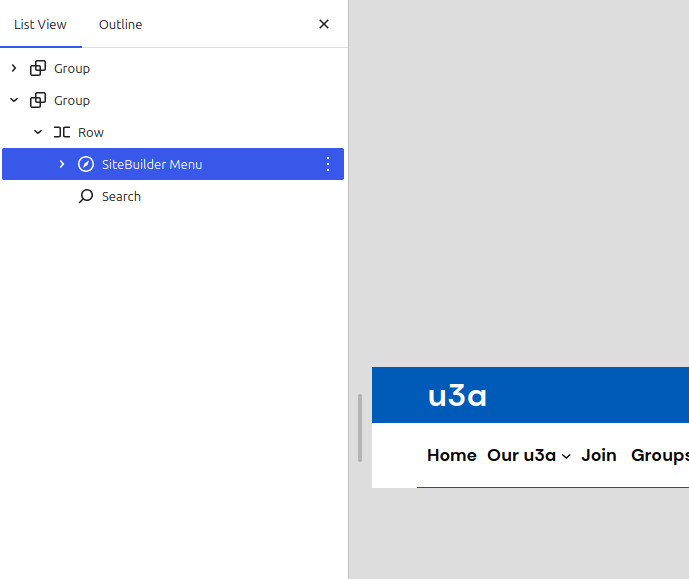
- Open the lower Group until the navigation menu (in this case, SiteBuilder Menu) is visible, and select. The item will be displayed as shown in A below.
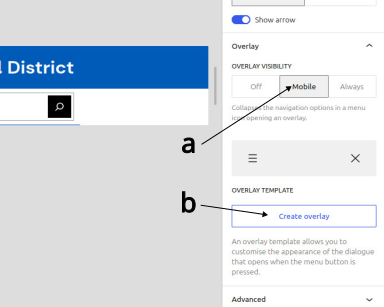
- In the Navigation Settings sidebar (B) , scroll down to Submenu Visibility to Mobile (a), then Create overlay (b). The basic overlay is then displayed, see C below.
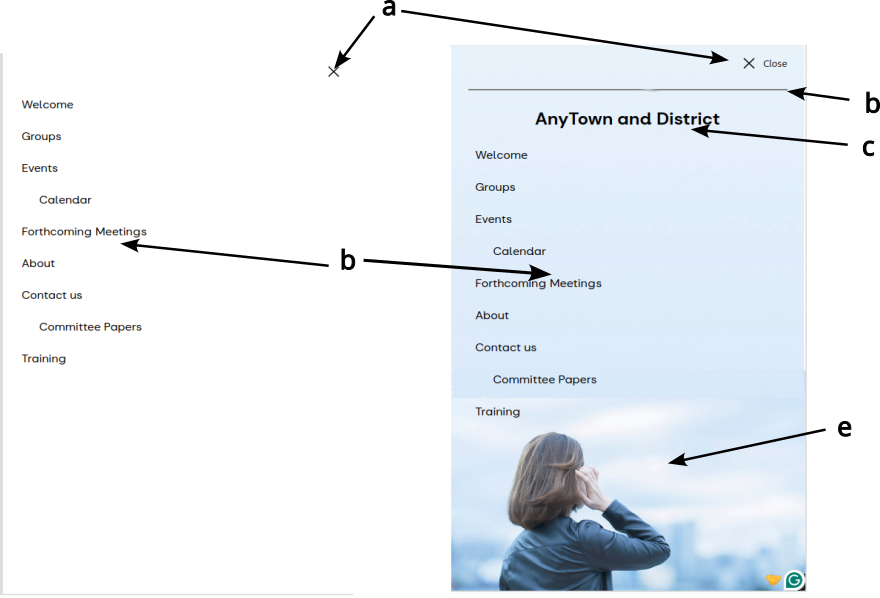
The default menu contains two items: a Navigation Overlay Close block (a) and the Navigation block (b). These should remain in the modified version. The edited version was created by using blocks and contains the following items:
- The Navigation Overlay Close block (a), with the icon and text features selected.
- A separator (c) and paragraph block (d).
- An image, this has been specially created with a standard image at the bottom and a graduated fill to the top to ensure that no part of the menu’s text is obscured.
The new Overlay should be saved, on completion, by selecting Save in the top right of the screen.
Editing a Navigation Overlay. #
An overlay can be edited by:
- The overlays are stored as Patterns and can be viewed and edited from the Navigation Overlay option
- .Selecting the Overlay from the pull-down menu that replaces the Create Overlay option in the sidebar discussed above.
Deleting a Navigation Overlay. #
An overlay can be deleted identically to a pattern. If all the Overlays are deleted, the menu will revert to the default version.


